
New cave biome · 2026 winter drop
Minecraft Ice Cave: where to find it, mobs & new blocks
AI concept illustration. The official preview image below shows the actual in-game biome.
Looking for a Minecraft ice cave? Start with your version. The new underground biome is available to test in Bedrock Preview 26.60.29, while the Java snapshot checked for this guide does not include it yet. Here is how to get started, what to look for and how to plan your first expedition.
By the CraftConnections team · · 11 min read
Can I explore an ice cave right now?
Bedrock Preview 26.60.29: yes, as experimental content. Java 26.4 Snapshot 2: not yet. This guide describes the builds checked on October 1, 2026. Read the version panel before searching your world; later snapshots and the final release may change the rules.
Minecraft ice cave at a glance
- What it is
- An underground Overworld biome in the 2026 winter-drop tests.
- Where to search
- Beneath colder surface biomes. No guaranteed height or rarity is published in the reviewed notes.
- Build checked
- Bedrock Preview 26.60.29, released September 30, 2026.
- Java status
- Not included in the checked 26.4 Snapshot 2 changelog.
- Terrain
- Packed Ice and Calcite, with ice formations and pockets of ore-bearing rock.
- New features
- Ice Crystals, Icicles, Frostbite, Ice Balls and the Freezing effect.
Which version has ice caves?
Choose your edition for the route that applies to you. A version number alone is not enough: Preview, beta and stable Minecraft are different release channels. Installing a newer stable update does not automatically give you every feature shown at Minecraft Live.
Available to test · 26.60.29
Mojang lists ice caves under Experimental Features in the September 30 Bedrock Preview notes. Begin with a separate test world so you can check the content and settings without changing the world you normally play in.
- 1
Install Minecraft Preview or join the Android beta through the official programme. Use the installation guide for your device. Preview is offered on Windows, Xbox, PlayStation and iOS; Android uses Google Play beta. Availability and enrolment can differ by platform.
- 2
Check the version on the title screen. This article's verified build is 26.60.29. If you are playing regular Minecraft or an earlier preview, first check its own release notes for ice caves.
- 3
Create a fresh test world and review Experiments in its settings. The biome is experimental. Enable the relevant game-drop option when your build requires it; toggle names can change. Mojang's general experiments documentation explains where this menu is.
- 4
Start with an exploration world you can afford to replace. A Creative test world is useful for learning the terrain before a Survival trip. Keep the edition, exact build and experiment settings together when comparing your results with someone else's.
Preview and beta worlds can change or break between builds. Back up valuable worlds first. The reviewed changelog does not specify the exact toggle label for 26.60.29, so this guide does not invent one.
Not in the checked snapshot
The September 29 Java 26.4 Snapshot 2 notes cover rendering, the debug screen and technical changes, but do not introduce ice caves. We have not verified an ice-cave Java build for this guide. A Bedrock seed or installation tutorial will not add the biome to that snapshot.
When Java testing arrives, check the new snapshot's notes for the biome, then follow its instructions. The usual Launcher path is Installations → enable snapshots. Until a supporting build is confirmed, treat Java ice-cave videos as needing a version check: they may show a mod, an older ice formation or footage of another edition.
What about the regular release?
The official pages reviewed place this content in testing for the final game drop of 2026. They do not provide a confirmed final release date. The availability above is a dated check, not a promise that every future build or current stable edition contains the biome.
How to find a Minecraft ice cave
The confirmed starting point is under colder Overworld biomes. Plan a search area on the surface, then explore its caves. The following is a practical search route based on that generation rule; it is not a guaranteed spawn, a tested seed or a claim that every snowy mountain hides an ice cave.
- 1
Confirm the supporting build and world settings first. Use the version panel above. It is faster to check the title screen than to spend an hour mining in a release that cannot generate the biome.
- 2
Pick a cold region and mark your starting point. Note the surface coordinates and leave a visible marker at the entrance you choose. Work through a manageable area rather than moving between unrelated cave openings across the map.
- 3
Explore downward through connected caves. Look for a broad shift to pale ice-and-white terrain, ceiling icicles and crystal formations. Take a safe path down; digging straight beneath your feet gives you no chance to assess the space you are entering.
- 4
Record the entrance and the route back. Save coordinates or a screenshot for your own trip. At junctions, use a consistent marker system, so finding the biome does not become losing your exit.
There is no verified best Y-level, spawn percentage or exhaustive list of eligible surface biomes in the reviewed official notes. If a guide gives an exact number, check which build it tested and how it measured it.

Blocks and resources to recognise
Use the terrain and formations together to identify the new biome. The two familiar blocks below use the game's existing textures; the crystal and icicle silhouettes are explanatory drawings. New-feature names follow the English preview notes.
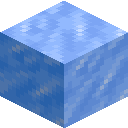
Packed Ice
One of the biome's main terrain blocks. Packed Ice makes up broad cave surfaces as well as large icicle formations on the ground and ceiling. Use that overall pattern to identify the biome.
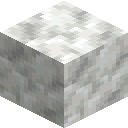
Calcite
The pale partner to the ice terrain. If you are gathering a white building palette, mark a route to the deposit before loading your inventory with materials.
Ice Crystals
The biome's natural light source; Glow Lichen does not generate here. Crystals can be placed in any direction, but break when their supporting block is removed. Plan the support and surrounding space before using one in a build.
Icicles
Hanging formations that can fall near light sources and hurt anything below. Inspect the ceiling before placing lights or standing under a formation.
Can you still mine ores?
The preview notes describe ores in pockets of Stone and Deepslate within the biome. Scout for those rock patches rather than assuming every icy wall contains ore. Keep your resource trip separate from your first reconnaissance: map the route, learn the ceiling hazards, then return with enough inventory room.
Light, falling icicles and your first expedition
The new cave asks you to read the ceiling as well as the floor. Keep your first visit small: find a place to stop, inspect what is overhead, and decide how to light your route before pushing farther into the cavern. The sketch below explains the relationship; it does not calculate game physics.
Before lighting: inspect the hanging formations and keep an escape route.
- 1Icicles: overhead hazard
- 2Ice Crystals: natural light
- 3Lava: watch your route
Before you head underground
- Carry food, spare tools and blocks for a quick retreat. Keep the items you need to escape within reach instead of burying them in a full inventory.
- Check above a stopping point before putting down lights. Avoid waiting directly under a hanging icicle while testing how the environment reacts.
- Give yourself room to move around ice formations and lava. Mark a return path as you go, and turn back while you still recognise the junctions.
- Try unfamiliar mechanics in a disposable Creative world first. Separate what you observed in your exact build from what a cinematic trailer appeared to show.
Meet Frostbite, the frozen zombie variant
Frostbite is a zombie variant that fights at range with Ice Balls and up close with melee attacks. Its melee hits apply Freezing, which reduces jump height and can eventually deal damage. Ice Ball hits also deal damage and knockback. Leave space for a retreat and deal with an encounter before continuing to place lights or mine overhead.
The preview notes say leather armour protects against the freezing process, but does not prevent or remove the Freezing effect itself. Treat that distinction seriously when choosing gear: protection from freezing is not a reason to ignore the mob's attacks or your escape route.
Ice Balls and Freezing potions
Frostbites drop Ice Balls as well as Rotten Flesh. The checked preview lets you brew regular, splash and lingering Freezing potions using Ice Balls. In Bedrock, arrows can gain the effect by dipping them into a cauldron filled with a Freezing potion. The notes do not give a full brewing recipe, so check the Brewing Stand in your test build before planning supplies.
Ice cave seeds, coordinates and commands
A useful Minecraft ice cave seed needs more than a long number: edition, exact version, experiment settings and cave coordinates must travel with it. World-generation changes between testing builds can make an old showcase difficult to reproduce. Ask for the full setup before spending time on the seed.
We have not independently reproduced a seed or an ice-cave locate command in 26.60.29. There is no seed number, coordinate promise or guessed biome ID on this page. Use the exploration route above while waiting for a reproducible example.
How to check a seed someone shares
- 1
Match the edition and full build number, then copy the author's world and experiment settings. Treat a Java result and a Bedrock result as separate tests.
- 2
Enter the seed exactly, including a minus sign if it has one. Start a new world so an older save's generated terrain is not part of the comparison.
- 3
Travel to the stated coordinates and check the underground position too. A snowy surface spawn alone is not evidence that the new cave biome is below it.
Troubleshooting and common questions
Why can't I find ice caves in my Minecraft world?
Check your release channel, exact build and experiment settings before changing your search route. This guide verifies the new content in Bedrock Preview 26.60.29. The Java snapshot checked here does not introduce it. Once the build supports it, search under cold regions; one cave opening is not a guarantee.
Will ice caves appear in my old world?
The reviewed ice-cave notes do not specify a retrofit rule for already generated chunks. Do not assume the ground beneath an old base will change. Use a fresh test world for the clearest comparison, and back up your save before trying experimental features on a copy.
What is the best Y-level for an ice cave?
No verified best height is given in the official sources reviewed for this article. Cold surface biomes are the supported starting clue. A precise height recommendation needs measured results from the same build, not an older cave seed or a screenshot.
Do I need a mod, add-on or shader?
The new biome is official experimental content in the supported Bedrock Preview. A shader or texture pack changes appearance rather than adding that official world-generation feature to a build without it. Videos of older ice formations and custom maps still need their own version and pack details checked.
Why did an icicle fall after I placed a light?
Nearby light can make an icicle drop in the preview. Inspect overhead formations before lighting a stopping point and keep clear of their landing area. The sketch illustrates this interaction; it does not claim a tested safe radius or an exact trigger threshold.
Does leather armour remove Freezing?
No. The preview distinguishes protection from the freezing process from the Freezing effect itself: leather armour does not remove that effect. Give yourself room to escape Frostbite encounters instead of treating a piece of leather gear as complete protection.
Why doesn't an ice cave seed from a video work?
Compare edition, complete build number, experiment settings and coordinates. A video may also show a custom map or an earlier kind of ice formation. Re-create the documented setup in a new test world before deciding the seed is wrong.
When will ice caves reach the final release?
The official sources checked on October 1, 2026 describe testing for the final game drop of 2026, but do not give a confirmed final release date. Follow the testing hub for new build announcements. We update the dated availability panel when a supported release is verified.
Know your ice from your stone?
Put that Minecraft knowledge to work in today's Connections puzzle: sixteen blocks, items and mobs, four hidden groups, six hearts. A short break before your next expedition.
More Minecraft guides

Sources and update notes
Version availability and mechanics were checked on October 1, 2026 against the official pages below. Exploration and packing advice is our editorial guidance. No seed, command or hands-on game test is claimed. New testing builds may change the details.
- Mojang: Bedrock Preview 26.60.29 · September 30, 2026
- Mojang: winter-drop testing hub · September 30, 2026
- Mojang: Java 26.4 Snapshot 2 · September 29, 2026
- Microsoft Learn: how experimental settings work
- Minecraft Help: Preview and mobile beta enrolment
The experiments reference explains the menu in general; its older example toggle names are not confirmation of this preview's labels. The cover is original AI concept art, the in-game cave image is Mojang's preview image, and the interactive cutaway is a schematic.
CraftConnections is an independent fan site, not affiliated with Mojang or Microsoft. Minecraft images and game textures belong to their respective owners.