Make Your Own Minecraft Connections Puzzle
Pick four categories, pull four blocks into each, publish.
The colour of a bar is its difficulty, yellow being the group most players spot first. You do not have to work that out — we can order them by how many blocks each category holds, which is the best guess anyone has. Use the arrows if you disagree.
16 more blocks to go
Building a puzzle, step by step
- Give each of the four bars a category. Pick one of ours and it comes with a ready-made label in six languages; type your own and it stays in the language you wrote it in.
- Pull four blocks into each group. The picker hides anything that would also fit one of your other categories, so you cannot build a broken puzzle by accident.
- You do not have to rank them. The colour of a bar is its difficulty, and one tap sorts all four by how common each category is — the arrows are there only if you disagree.
- Preview it. The preview is the real board with the real shuffle — a puzzle that looks fine as four tidy rows can look very different once the sixteen blocks are mixed.
- Publish. You need an account for this, because a published puzzle carries its author. Your draft lives in this browser until then, so you can build the whole thing signed out.
Why the editor blocks some blocks
A Connections board only works if there is exactly one way to split the sixteen blocks into four groups. The game accepts a group only when all four blocks match, so if a second sensible split exists, a player who finds it gets told they are wrong. That is not a hard puzzle — that is the game lying to them.
Minecraft makes this easy to get wrong, because a single block belongs to a surprising number of categories at once. A lantern gives off light and is crafted from iron nuggets; a smoker is a villager job site and is mined with an axe. Turn the safe filter off and you can still build whatever you like — the editor will just tell you, block by block, which one is standing in two groups at the same time.
357 blocks belong to no category at all — those can never clash.
The category pairs that clash most
These pairs share the most blocks, so putting both on the same board is the fastest way to end up with two valid answers. It is the single most common way a hand-built puzzle goes wrong, and it is almost impossible to notice by eye.
| crafted_glass | × | crafted_leather | 16 blocks in common |
| mine_with_shovel | × | tag_concrete_powder | 16 blocks in common |
| tag_bee_food | × | tag_small_flowers | 15 blocks in common |
| emits_light | × | light_source_craft | 12 blocks in common |
| mine_with_axe | × | tag_planks | 12 blocks in common |
| crafted_redstone | × | redstone_component | 10 blocks in common |
| edible | × | tag_meat | 9 blocks in common |
| crafted_gold_ingot | × | tag_piglin_loved | 7 blocks in common |
| mine_with_axe | × | villager_job_site | 7 blocks in common |
| emits_light | × | tag_lanterns | 6 blocks in common |
| mine_with_axe | × | tag_non_flammable_wood | 6 blocks in common |
| tag_fishes | × | tag_wolf_food | 6 blocks in common |
How many blocks each category holds
The number next to a category is how many blocks are in it. A wide category is easy to fill but easy for players to guess; a narrow one forces your hand. All counts come straight from the same data the daily puzzles are generated from.
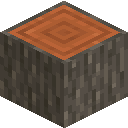 You mine these with an axe60
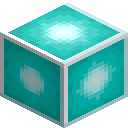 Crafted with glass38
 You can eat these38
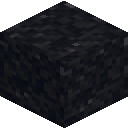 You mine these with a shovel34
 Bees pollinate these29
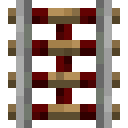 Crafted with iron28
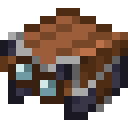 Crafted with leather25These give off light24
 Piglins will not attack you for holding these24
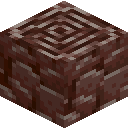 Only found in the Nether21
 Crafted with redstone19
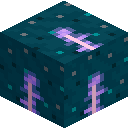 Redstone components18
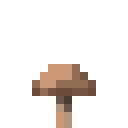 An enderman can pick these up18
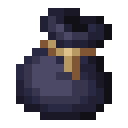 Bundles17
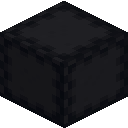 Shulker boxes17Flowers17
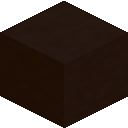 Terracotta17
 Brewing ingredients16Concrete powder16
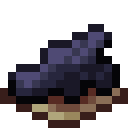 Dyes16
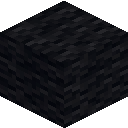 Wool16
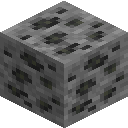 Ores you mine14Blocks that light up your base13
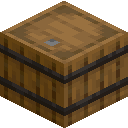 Villager job site blocks13
What makes a community puzzle good
- Aim for one group that looks obvious and is. Players need somewhere to stand before the floor moves.
- One group answerable by looks alone is plenty. Two and the board turns into a colour-matching exercise.
- A whole group of one colour family — every wool, every concrete — reads instantly. Use it as your easy group or not at all.
- The best trap is a block that clearly belongs to a group it is not in. That is allowed and encouraged — what is not allowed is a block that genuinely fits two of your categories.
FAQ
Do I need an account to build a puzzle?
Only to publish. You can build the whole thing signed out; the draft is saved in this browser and is still there after you sign in.
Is my draft saved across devices?
No. It lives in this browser only, and it is cleared once you publish. Keeping drafts on the server would mean two copies of the truth for the sake of one rare convenience.
Can I write my own group labels instead of using the categories?
Yes, and some of the best puzzles do. Be aware of the trade-off: a label you typed cannot be checked for a second valid answer, and it is shown only in the language you wrote it in.
How many puzzles can I publish?
A hundred live at a time, and a few per minute. Both limits exist to keep a script from filling the list, not to slow down anyone building by hand.
What happens if my puzzle gets reported?
Enough reports hide it from the community automatically. It stays in My puzzles, clearly marked as hidden, so you always know what happened — and it can be restored if the reports were wrong.